Passport photo maker for iPhone

Choose a country and document, use the live capture guide, then save a digital photo or a print-ready layout from your iPhone.

Check your destination authority's latest photo rules before submitting.

Download on theApp Store

Made for iPhone · 4.8★ App Store rating · Free to download

  • Country and document presets
  • Live face and eye-line guides
  • Digital, print and PDF layouts
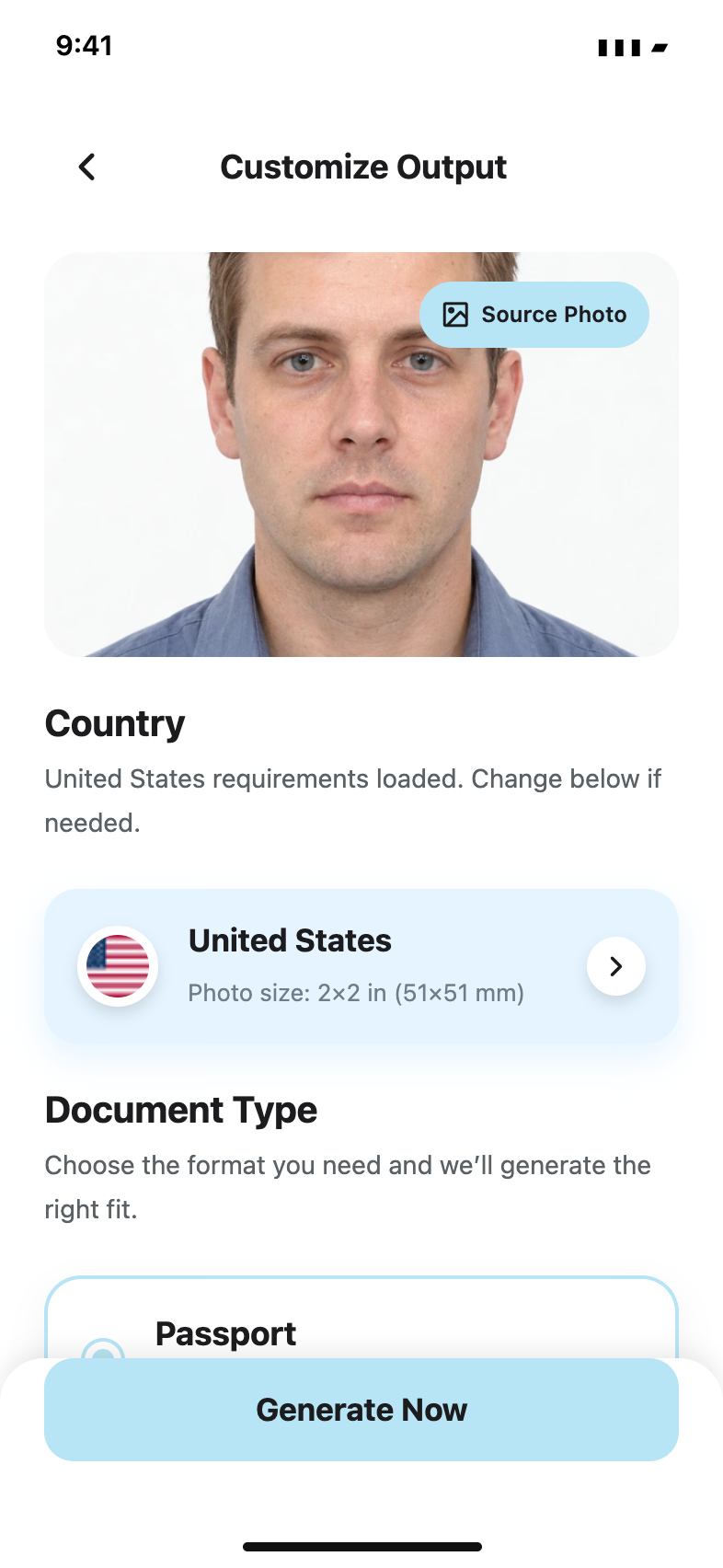
Passport Booth Photo Maker ready-in-seconds screen

Live checklist

  • Neutral lighting
  • Centered face
  • Even background

Built for the whole photo workflow

From camera guide to the final layout

Prepare the right size, compare results and export for a digital application or local printing without leaving the app.

Live capture coach

Use the face frame and eye-line overlay to improve positioning before you take the photo.

Country and document presets

Choose the destination and document type, including US 2x2-inch and UK 35x45 mm formats.

Print and digital layouts

Save a single photo, prepare a multi-photo print sheet, or share a PDF from the app.

Variants and history

Compare generated options and return to past sessions without rebuilding the photo from the beginning.

Step-by-step flow

Four clear steps from preset to export

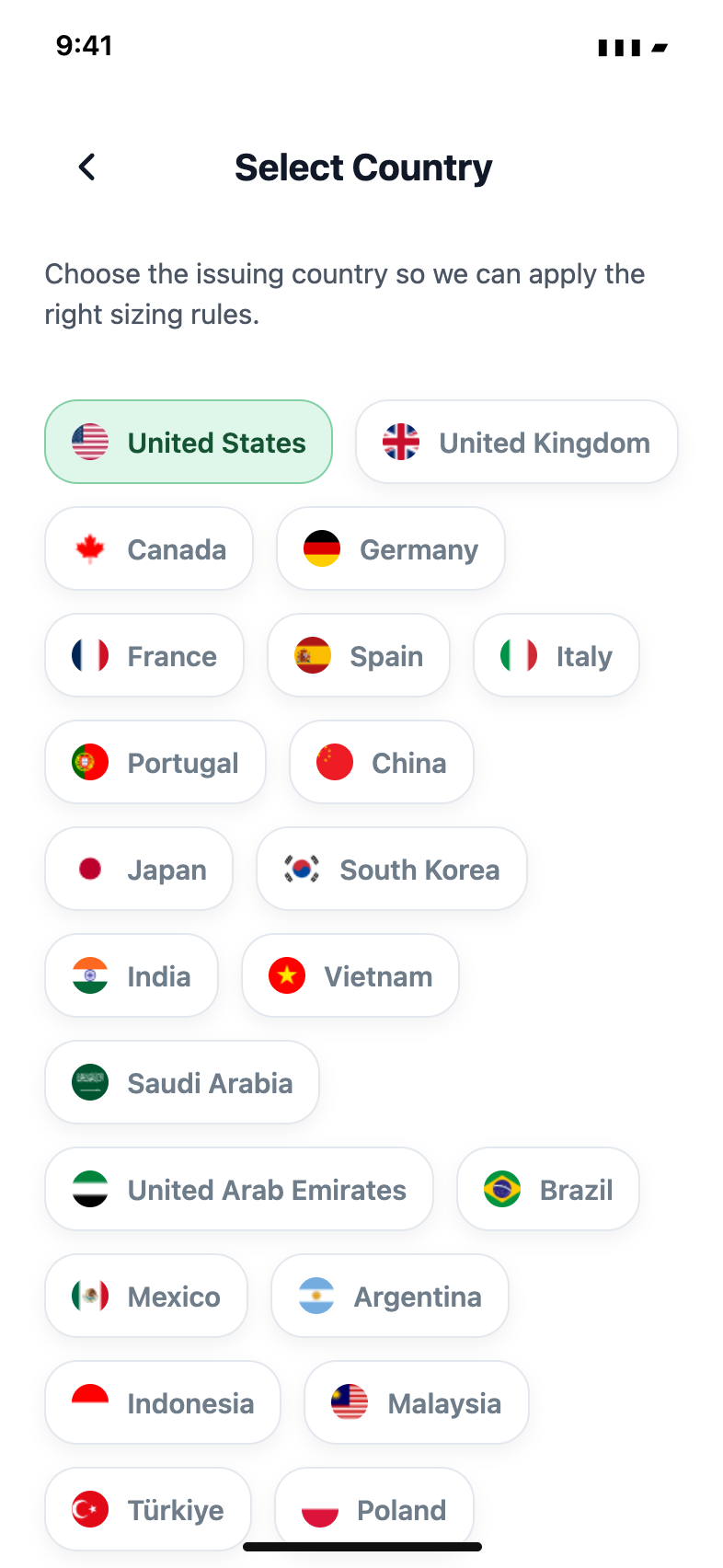
Passport Booth starts with the destination and document so the capture and export choices stay focused on the photo you need.

Passport Booth country and document selection screen
  1. 01

    Choose the destination

    Select the country and document type so the app can prepare the matching size and layout.

  2. 02

    Take or import a photo

    Use the live face and eye-line guide, or import a suitable photo from your library.

  3. 03

    Review the variants

    Compare the available results and check the photo against the issuing authority's latest rules.

  4. 04

    Save, print or share

    Export a digital image, a multi-photo print layout or a PDF, depending on the application route.

Photo requirements vary by authority and can change. Use the app as a preparation tool, then compare the result with the current official guidance before submitting.

Inside the app

See the tools before you download

Real app screens show the country selector, live capture coach, saved sessions and export layouts.

4.8★ · Loved by travelers worldwide

Passport Booth country and document selection screen

Choose a preset

Start with the destination and document instead of guessing the required dimensions.

Passport Booth live capture coach with face and eye-line guides

Frame the photo

Follow the on-screen face frame and eye-line guide before taking the picture.

Passport Booth single and multi-photo print layouts

Prepare a layout

Choose a single image or a multi-photo sheet for printing and sharing.

Passport photo guides

Make the setup and submission less confusing

Practical guidance for taking, sizing and printing a photo, with links to the official rules that make the final decision.

Browse all guides

Pricing and terms

Choose the weekly allowance you need

Passport Booth Photo Maker is free to download. Generation allowances are available as weekly auto-renewing subscriptions in the app.

Weekly

$4.99per week

Five photo generations each week for one-off passport or visa tasks.

  • 5 photo generations per week

  • Country and document presets

  • Digital, print and PDF layouts

  • Session history

Weekly Max

More generations
$9.99per week

Fifteen photo generations each week for families, retakes or several documents.

  • 15 photo generations per week

  • Country and document presets

  • Digital, print and PDF layouts

  • Session history

Download on theApp Store

Prices shown are in US dollars and may vary by storefront. Payment is charged to your Apple Account at confirmation. Subscriptions renew automatically unless cancelled at least 24 hours before the end of the current period. Manage or cancel in your Apple Account settings.

Common questions

Before you take, print or submit a photo

What can Passport Booth Photo Maker create?

The app helps you prepare passport, visa and ID photos using country and document presets, live capture guides, generated variants, and digital or print layouts.

Can I take a passport photo at home with an iPhone?

Yes. Use even lighting, a suitable plain background and the app's face and eye-line guides. Always compare the result with the issuing authority's current rules before submitting.

Read the full guide

What size is a US passport photo?

The US Department of State currently specifies a 2x2-inch photo with a head height of 1 to 1 3/8 inches. It also requires an original, unchanged image, so do not use background replacement or other digital alterations for a US passport application.

Read the full guide

What are the UK digital passport photo requirements?

UK digital applications require a clear, unaltered photo against a plain light-coloured background, with even lighting and no objects or other people visible. Check GOV.UK for the latest rules.

Read the full guide

Can I print a 2x2 passport photo on 4x6 paper?

The app includes multi-photo layouts that can be saved for printing. Confirm the final photo dimensions, print scale and paper requirements before using the sheet.

Read the full guide

Are passport and visa photo sizes the same?

Not always. Size, background and digital-file rules can differ by country, document and application route, which is why the app starts with a country and document selector.

Read the full guide

How do I avoid shadows in a passport photo?

Face a soft, even light source, move away from the background and avoid a strong overhead light. Check the wall and both sides of the face before taking the photo.

Read the full guide

Does the app guarantee that my photo will be accepted?

No app can guarantee acceptance. The issuing authority makes the final decision, and its rules may change. Passport Booth provides sizing, capture and layout tools to help you prepare and review the photo.

How do the subscriptions work?

Weekly costs $4.99 for 5 generations and Weekly Max costs $9.99 for 15 generations. Both renew weekly until cancelled in your Apple Account settings. Storefront prices may vary.

Ready when you are

Prepare your next ID photo on iPhone

Choose the document, follow the capture guide and export the layout you need.

Download on theApp Store

Passport Booth Photo Maker is an independent app and is not affiliated with or endorsed by any government authority. Requirements can change, so always check the official rules before submitting.